
7 Best AI Tools for Legal Document Creation in 2026
Quick answer: This category is not contract software, and treating it as such is the usual reason a purchase disappoints. Gavel is the strongest general document automation tool and publishes its full rate card, from $83 a month. Clio Draft is the answer for a firm already on Clio that needs court forms. HotDocs remains the enterprise incumbent, though nobody agrees what it costs. For website policies specifically, Termly is $10 per site a month and nothing else here comes close on price. If the documents you need are contracts, this is the wrong page and our drafting guide is the right one.
Comparison
| Tool | Score | Best for | Price | Key strength |
|---|---|---|---|---|
| Gavel | 9.4 | automating documents you already have | $83 to $417/mo, published | Publishes its full rate card |
| Clio Draft | 8.5 | court forms inside an existing Clio practice | Add-on, reported from ~$40/mo plus $30 per user | Jurisdiction-specific court forms |
| HotDocs | 8.0 | large-scale automation with technical support | No published price; listings disagree | Depth and longevity |
| Josef | 7.3 | documents produced from another person's answers | Reported ~$2,400 to $12,000/yr | Intake and workflow, not just assembly |
| Termly | 6.5 | website policies and consent | $10 per site/mo, billed annually | Cheapest published price here |
| Rocket Lawyer | 5.8 | occasional documents for a small business | $149 to $349/yr, published | Membership covers document plus review |
| LegalZoom | 5.2 | company formation and filings | Legal plan $34.99/mo, published | Filing is done for you, not by you |
Fit by buyer
Scored 1 to 5 for each buyer, where 5 means the tool was built for them and 1 means it is the wrong tool. Scope is different: it is how much of the job the tool does, from a single step to a whole lifecycle, and a low score there means narrow rather than bad. These ratings are the same for a tool wherever it appears; the score shown beside each entry is for this guide specifically. A tool can lead one column and come last in another, and the right answer still changes with who is asking. How we score.
| Tool | Lawyer in Word | In-house legal | Commercial team | Enterprise | Scope | Price |
|---|---|---|---|---|---|---|
| Gavel | 3 | 4 | 3 | 3 | 3 | Published |
| Clio Draft | 4 | 2 | 1 | 2 | 2 | Reported |
| HotDocs | 4 | 3 | 2 | 5 | 4 | Reported |
| Josef | 1 | 4 | 3 | 3 | 3 | Reported |
| Termly | 1 | 2 | 3 | 2 | 1 | Published |
| Rocket Lawyer | 2 | 1 | 3 | 1 | 1 | Published |
| LegalZoom | 1 | 1 | 3 | 1 | 1 | Published |
Which one, for your situation
| If this is your situation | Start with |
|---|---|
| You want to automate your own documents and see the price before a sales call | Gavel |
| You are a law firm on Clio that needs court forms filled correctly | Clio Draft |
| You are automating at enterprise scale with technical support | HotDocs |
| The document is produced from someone else answering questions | Josef |
| You need a privacy policy, cookie notice and website terms | Termly |
| You are a small business needing occasional documents | Rocket Lawyer |
| You are forming a company or making a filing | LegalZoom |
The 7 best tools for legal document creation
1. Gavel: Best for automating documents you already have
9.4 out of 10 how this is calculated

The verdict: The one to start with if you have documents and want them automated without hiring a consultant. It is also the only tool in this category that lets you cost the project before speaking to anyone.
Pricing: Published in full, which is rare here. Lite $83 a month for one builder seat and ten templates, Standard $210 a month or $165 billed annually, Pro $290 a month for two builder seats and a hundred templates, Scale from $417 a month billed annually. Seven-day trials on the first three tiers, and annual plans include two months free.
Standout features:
- No-code builder that works from your existing Word documents
- Client-facing intake forms that populate the document
- Word and PDF output with formatting preserved
- Payment collection through Stripe on the Pro tier
Limitations: Template seats are counted tightly and the step from ten to fifty templates is the step from $83 to $210, so the price scales with your library rather than your team. It has no court forms library, so litigation practices still need something else alongside it.
2. Clio Draft: Best for court forms inside an existing Clio practice
8.5 out of 10 how this is calculated
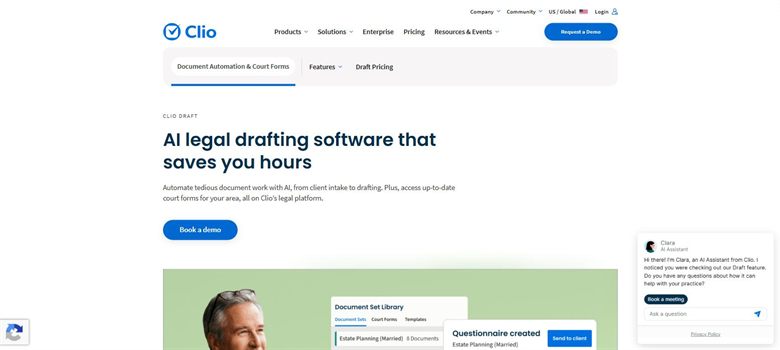
The verdict: The court forms library is the reason to buy it. Filling a state form correctly from matter data you already hold is a narrow job that general automation tools do badly and this does well.
Pricing: Sold as a paid add-on to a Clio subscription rather than on its own, and quoted by sales rather than listed. Reported configurations run from about $40 a month plus $30 per user for the court forms library, up to about $120 a month plus $30 per user for the full feature set. The Clio subscription underneath is a separate cost.
Standout features:
- Maintained library of jurisdiction-specific court forms
- Populates documents from existing Clio matter data
- Word-based document assembly
- Electronic filing in supported jurisdictions
Limitations: It assumes you are on Clio, so buying it standalone makes little sense and the real cost is two subscriptions rather than one. The forms library covers all fifty states, but local and county coverage is where completeness varies, so check the specific courts you file in rather than trusting the headline number.
3. HotDocs: Best for large-scale automation with technical support
8.0 out of 10 how this is calculated

The verdict: The incumbent, and still the deepest templating engine in the category. It is bought by organisations with the technical resource to build and maintain a template estate, which is the real cost rather than the licence.
Pricing: No published price, and third-party listings disagree sharply enough that we will not print a single figure. Quotes range from about $25 per user a month on a five-seat minimum, through roughly $99 per user, to about $179 for a single cloud seat, falling towards $49 per user at very large volumes. Treat all of those as directional and get a written quote.
Standout features:
- Computation and conditional logic beyond what no-code tools handle
- On-premise and cloud deployment
- Long track record in insurance, banking and government
- Integration with document and matter management systems
Limitations: Template building is a specialist skill and buyers routinely underestimate it, so implementation costs more than the software in the first year. The pricing spread across resellers is wide enough that two similar buyers can pay very different amounts, and the interface shows its age against tools built this decade.
4. Josef: Best for documents produced from another person's answers
7.3 out of 10 how this is calculated

The verdict: Aimed at the case where the document is the end of a process rather than the start of one. If a business team answers questions and a legal document comes out, this is built for that shape and most automation tools are not.
Pricing: No published price. Reported platform costs of roughly $2,400 to $12,000 a year, with first-year totals including implementation put at $5,400 to $18,000. Sold on seats and usage and quoted by sales. A trial is offered.
Standout features:
- Conversational intake that produces a document at the end
- Routing and approval steps between intake and output
- Self-service portals for internal teams
- No-code build aimed at legal rather than developer users
Limitations: It is a workflow tool first, so buying it purely to produce documents means paying for intake and routing you may never turn on. The reported cost range is wide and unverifiable, and the first-year total is roughly double the platform fee once build time is counted.
5. Termly: Best for website policies and consent
6.5 out of 10 how this is calculated
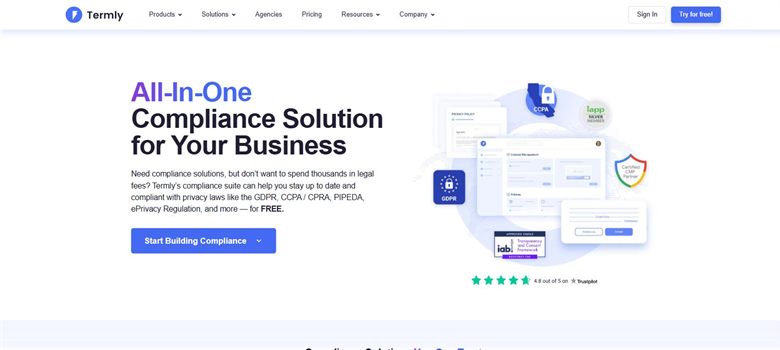
The verdict: Narrow and priced accordingly. For a privacy policy, a cookie notice, website terms and a consent banner that stays current as rules change, nothing else on this page is close on cost.
Pricing: Published. Starter $10 per website a month billed annually or $14 monthly, covering two policies and 50,000 banner views. Pro+ is $15 billed annually or $20 monthly for unlimited policies and unlimited banner views. A free tier covers one basic policy and 10,000 banner views.
Standout features:
- Privacy policy, cookie policy, terms and disclaimer generators
- Consent management banner with regional rules
- Policies updated as regulations change
- Free tier covering a single policy
Limitations: It generates a narrow set of website-facing documents and nothing else, so it does not belong on a shortlist with the automation platforms above. Policies are produced from a questionnaire rather than from your actual data practices, which means the output is only as accurate as the answers given.
6. Rocket Lawyer: Best for occasional documents for a small business
5.8 out of 10 how this is calculated
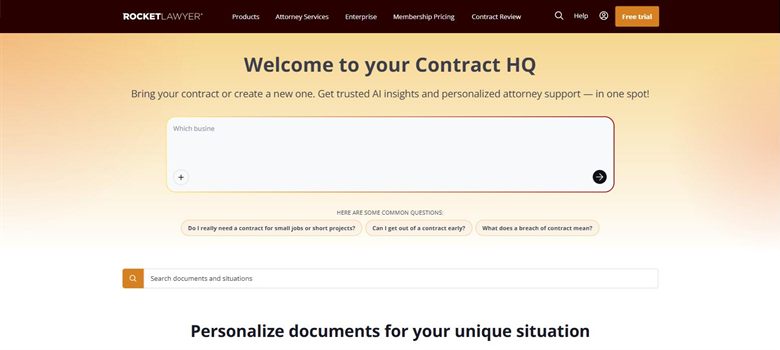
The verdict: Bought by businesses producing a handful of documents a year, where a subscription costs less than one hour of outside advice. The membership model rather than the document library is the actual product.
Pricing: Published. Standard $149 a year, Plus $249 a year and Pro $349 a year, working out at $12.41, $20.75 and $29.08 a month respectively. A seven-day free trial is offered on all three.
Standout features:
- Library covering business, property and personal documents
- Document review included at higher tiers
- Electronic signature
- Registered agent and formation services
Limitations: Documents are filled from a questionnaire and are not automated in the sense the platforms above mean, so there is nothing to reuse at volume. The annual headline rate depends on paying twelve months upfront, and the library is broad rather than deep in any one area.
7. LegalZoom: Best for company formation and filings
5.2 out of 10 how this is calculated
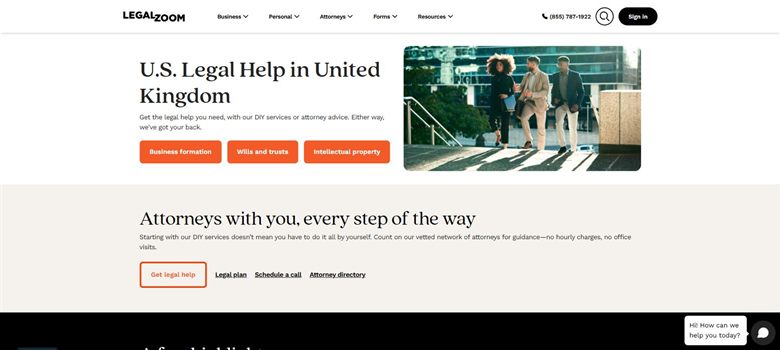
The verdict: Strongest where the output is a filing rather than a document: incorporation, registered agent, annual reports and trademark applications. Weakest as a document tool, because that is not really what it sells.
Pricing: Published, though split across several plans. The Business Advantage legal plan is $34.99 a month, or about $179 a year. A separate attorney consultation plan is listed from $39.09 a month billed annually. Formation and filing services are charged per filing on top of any subscription.
Standout features:
- Company formation and registered agent services
- Trademark and IP filing
- Business and personal document library
- Consultations bundled into the higher plans
Limitations: Auto-renewal has generated repeated complaints, including trial plans rolling into $49 a month, so diarise the cancellation date before starting one. The document library is thinner than the marketing suggests once you look past formation, and per-filing charges sit on top of the subscription rather than inside it.
How we chose
- Whether the tool creates documents other than contracts, which is the whole scope of this page.
- Who operates it once it is bought: a developer, a legal engineer, or an assistant.
- Published price, and whether the quoted figure is the whole cost or an add-on to something else.
- Template ownership: whether you can take your automated documents elsewhere.
- How the document ends up in the format the recipient needs, which is usually Word or a court filing.
- We did not score on the number of templates shipped. A library you did not write is a starting point rather than an asset, and every vendor counts them differently.
Frequently asked questions
What is the best AI tool for creating legal documents in 2026?
Gavel for automating documents you already have, at a published $83 to $417 a month. Clio Draft for court forms if you are already on Clio. Termly for website policies at $10 per site a month. The right answer depends more on which document you mean than on which tool is best overall.
Is document creation the same as contract drafting?
No, and conflating them is the most common buying mistake in this category. Contract tools are built around negotiation, redlining and counterparty positions. Document creation tools are built around producing a correct document from structured answers, with no counterparty at all. Buying one for the other job disappoints in both directions.
How much does legal document automation cost?
Gavel publishes $83 to $417 a month. Clio Draft is reported from about $40 a month plus $30 per user, on top of a Clio subscription. Josef is reported at roughly $2,400 to $12,000 a year. HotDocs publishes nothing, and third-party figures for it disagree so widely that we do not quote one.
Can these tools produce court filings?
Clio Draft maintains a jurisdiction-specific court forms library and supports electronic filing where it is available, which is the main reason firms buy it. The general automation platforms can build a court form as a template but do not maintain one for you, so the burden of keeping it current stays with you.
Do I own the templates I build?
Ask before signing, because the answer varies. The automation platforms build on documents you supply, so the underlying content is yours, but the automated version is often held in a proprietary format that does not export cleanly. That is the practical lock-in in this category and it is rarely raised during the sale.
Is there a free tool for legal document creation?
Termly has a genuine free tier covering one basic policy and 10,000 banner views. Gavel offers seven-day trials rather than a free tier. Beyond that, free options in this category are template libraries rather than automation, which means they save you the first draft and nothing after it.
What does implementation actually involve?
For the automation platforms, turning your documents into working templates. That means marking every variable, writing the conditional logic for clauses that only appear sometimes, and testing the output against real cases. Budget more time for this than for the software selection itself, and expect the first year to cost roughly double the licence.