
7 Best E-Signature Tools for Legal Teams in 2026
Quick answer: This is the one category in legal software where nearly everyone publishes a price, which makes it the one category where buyers reliably compare the wrong number. DocuSign Standard is $25 per user a month billed annually and caps you at 100 envelopes per user per year. Adobe Acrobat Sign for teams is $16.99 and caps at 150 transactions. Dropbox Sign Essentials is $15 with unlimited documents, which is why it beats both on volume despite looking mid-range. Work out your annual send volume before you compare seat prices, because the cap decides the bill.
Comparison
| Tool | Score | Best for | Price | Key strength |
|---|---|---|---|---|
| DocuSign | 9.3 | the default nobody questions | $10 to $40 per user/mo, published | Universal counterparty recognition |
| Adobe Acrobat Sign | 8.6 | teams already living in PDFs | $16.99 to $29.99 per user/mo, published | Editing and signing in one licence |
| Dropbox Sign | 7.9 | volume without a cap | $15 to $25 per user/mo, published | Unlimited documents at the entry tier |
| PandaDoc | 7.3 | generating and signing in one motion | $19 per user/mo | Document creation included |
| Juro | 6.7 | signing as the end of a workflow | Reported ~$15,000 to $130,000/yr | Signature inside the contract process |
| Contractbook | 5.9 | small teams wanting signing and storage together | Reported ~$39 to $599/mo | Signing bundled with a repository |
| Ironclad | 5.4 | signature inside enterprise approval routing | Reported ~$30,000 to $250,000/yr | Nothing gets signed before it is approved |
Fit by buyer
Scored 1 to 5 for each buyer, where 5 means the tool was built for them and 1 means it is the wrong tool. Scope is different: it is how much of the job the tool does, from a single step to a whole lifecycle, and a low score there means narrow rather than bad. These ratings are the same for a tool wherever it appears; the score shown beside each entry is for this guide specifically. A tool can lead one column and come last in another, and the right answer still changes with who is asking. How we score.
| Tool | Lawyer in Word | In-house legal | Commercial team | Enterprise | Scope | Price |
|---|---|---|---|---|---|---|
| DocuSign | 2 | 4 | 5 | 5 | 2 | Published |
| Adobe Acrobat Sign | 3 | 3 | 4 | 4 | 2 | Published |
| Dropbox Sign | 1 | 2 | 4 | 2 | 1 | Published |
| PandaDoc | 1 | 2 | 4 | 2 | 2 | Published |
| Juro | 2 | 4 | 4 | 4 | 4 | Reported |
| Contractbook | 1 | 3 | 4 | 2 | 3 | Reported |
| Ironclad | 2 | 4 | 2 | 5 | 5 | Reported |
Which one, for your situation
| If this is your situation | Start with |
|---|---|
| You want the default that every counterparty already recognises | DocuSign |
| Your documents and workflow already live in Adobe | Adobe Acrobat Sign |
| You send high volume and refuse to be capped | Dropbox Sign |
| The document is generated and signed in the same motion | PandaDoc |
| Signing is the end of a contract workflow you already run | Juro |
| You are small and want signing bundled with storage | Contractbook |
| Signature has to sit inside enterprise approval routing | Ironclad |
The 7 best e-signature tools for legal teams
1. DocuSign: Best for the default nobody questions
9.3 out of 10 how this is calculated
The verdict: The default, and there is real value in that: no counterparty has to be talked into it, and no procurement team asks who they are. You pay for that recognition, and you pay again if you send volume.
Pricing: Published. Personal $10 a month billed annually or $15 monthly. Standard $25 per user a month annually or $45 monthly. Business Pro $40 per user annually or $65 monthly. UK pricing is quoted separately at £8, £20 and £33 respectively, so the figure you see depends on where you buy. Standard and Business Pro both cap at 100 envelopes per user a year.
Standout features:
- Recognised by effectively every counterparty
- Extensive integration surface including Salesforce and Word
- Detailed audit trail and identity verification options
- Bulk send and payment collection on Business Pro
Limitations: The 100-envelope-per-user annual cap on Standard and Business Pro is the single most overlooked term in this category, and teams that send at volume hit it and get moved onto a quoted Enhanced plan. Paying monthly rather than annually costs up to 44% more, and regional pricing means a US and a UK buyer are not comparing the same number.
2. Adobe Acrobat Sign: Best for teams already living in PDFs
8.6 out of 10 how this is calculated
The verdict: Makes sense when the document work and the signing are the same job. If your team already pays for Acrobat, the signing capability is close to free at the margin, which changes the comparison entirely.
Pricing: Published for teams. Acrobat Standard for teams $16.99 per user a month, Acrobat Pro for teams $23.99, Acrobat Studio for teams $29.99. Individual plans run $12.99 and $19.99. Team plans cap at 150 transactions per user a year, and the AI Assistant is a $4.99 per user add-on rather than included. Acrobat Sign Solutions at enterprise scale is quoted rather than published.
Standout features:
- PDF editing and signing under one licence
- Deep Microsoft integration
- Web forms and bulk send
- Identity verification options
Limitations: The 150-transaction annual cap per user is buried and catches teams out the same way DocuSign's does. The AI features are a separate $4.99 add-on despite the marketing, and enterprise Acrobat Sign Solutions abandons published pricing entirely.
3. Dropbox Sign: Best for volume without a cap
7.9 out of 10 how this is calculated
The verdict: The one that wins on the number people forget to check. Unlimited documents at the entry tier means a team sending several hundred agreements a year pays less here than at either incumbent, despite the mid-range seat price.
Pricing: Published. Essentials $15 per user a month with unlimited documents and five templates. Standard $25 per user a month with a two-user minimum, adding custom branding, advanced fields and integrations. Formerly HelloSign.
Standout features:
- Unlimited signature requests on paid tiers
- Templates and reusable forms
- Custom branding on Standard
- Clean API for embedding signing into your own product
Limitations: Counterparty recognition is well below DocuSign, which occasionally matters with conservative procurement teams. The two-user minimum on Standard raises the real entry price to $50 a month, and template allowances at the Essentials tier are tight at five.
4. PandaDoc: Best for generating and signing in one motion
7.3 out of 10 how this is calculated
The verdict: Worth considering when the signature is the last step of a document you also generated. Buying a generator and a signing tool separately at this price point is usually the more expensive path.
Pricing: Published at $19 per user a month, one of the few vendors in this market to state a list price at all.
Standout features:
- Template-driven document and contract generation
- Native electronic signature
- CRM integration with Salesforce and HubSpot
- Analytics on what recipients opened
Limitations: As a pure signing tool it is less recognised than DocuSign and less generous than Dropbox Sign, so it only makes sense if you use the generation side. Clause-level legal intelligence is thin, which matters if anything you send is negotiated rather than standard.
5. Juro: Best for signing as the end of a workflow
6.7 out of 10 how this is calculated
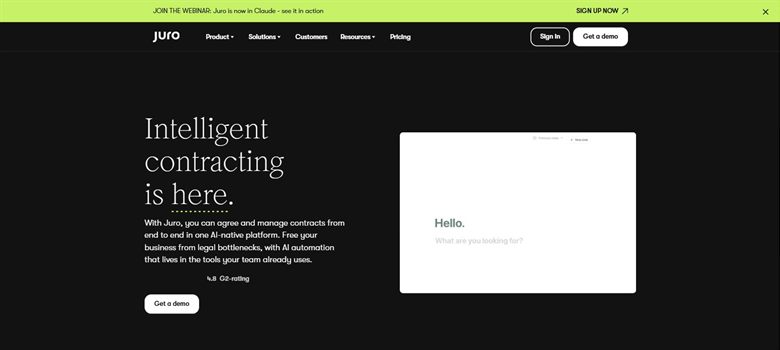
The verdict: Nobody buys this for the e-signature. It is here because if you already run it, paying separately for signing is money spent twice, and teams do that more often than you would expect.
Pricing: Sales-led with no public list price. Reported annual contracts run approximately $15,000 to $130,000, with marketplace medians around $31,000 to $34,500, priced on contract volume rather than per seat.
Standout features:
- Native electronic signature at the end of the negotiation
- Approval workflows usable by sales and operations
- Searchable repository with reporting
- Full audit trail from draft to signature
Limitations: A ruinous way to buy e-signature on its own, at an order of magnitude above the dedicated tools. It is priced on contract volume with no published figure, so it is the only entry on this page whose cost you cannot establish before a sales call.
6. Contractbook: Best for small teams wanting signing and storage together
5.9 out of 10 how this is calculated
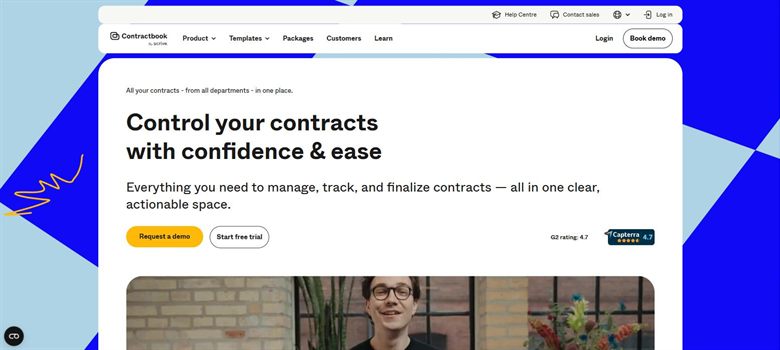
The verdict: Sensible for a small team that would otherwise pay for signing and storage separately. The signed document lands somewhere searchable rather than in an inbox, which is the actual failure mode for teams this size.
Pricing: No published rate card. Reported between approximately $39 and $599 a month depending on tier, which is the only genuinely small-team platform price in this category.
Standout features:
- Signing with the executed contract stored and searchable
- Template-driven creation
- Renewal reminders on stored agreements
- Monthly pricing rather than annual contracts
Limitations: No published rate card, which stands out badly on a page where five of seven publish exactly what they charge. Counterparty recognition is low, and the tier spread from $39 to $599 is undisclosed so growth is impossible to model.
7. Ironclad: Best for signature inside enterprise approval routing
5.4 out of 10 how this is calculated
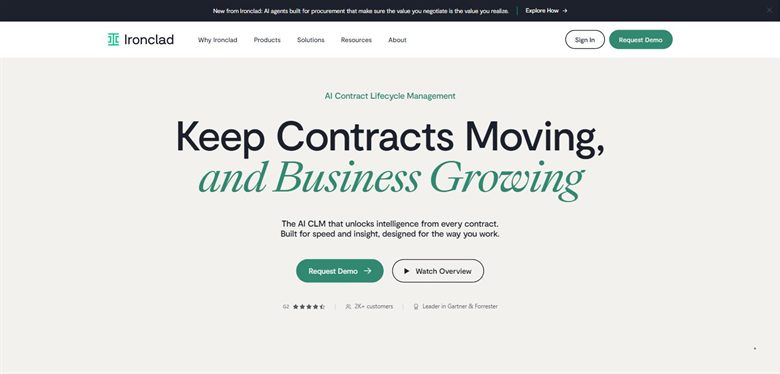
The verdict: Listed for the same reason as Juro. In a large organisation the hard part was never applying the signature, it was making sure the right people signed off first, and this is what enforces that.
Pricing: No public list price. Reported annual contracts run approximately $30,000 to $250,000, with a marketplace median near $40,000 across 363 recorded purchases.
Standout features:
- Signature gated behind conditional approval routing
- Full repository and reporting after execution
- Deep Salesforce and procurement integration
- Complete audit trail from request to signature
Limitations: An absurd way to buy e-signature alone, and the implementation runs to months before anything is signed through it. No published price, and the reported median near $40,000 a year is roughly what a hundred DocuSign seats would cost.
How we chose
- The envelope or transaction cap behind the per-seat price, which is what actually determines cost.
- Whether signing is the product or the last step of a contract workflow you already own.
- Published price, which in this category almost everyone offers and which we quote exactly.
- Whether audit trail and identity verification meet the standard your counterparties expect.
- Seat minimums, which raise the real entry price on several of these without changing the headline figure.
- We did not score on legal admissibility. All of these produce audit trails that satisfy the ESIGN Act and eIDAS for ordinary commercial agreements, so it does not separate them.
Frequently asked questions
What is the best e-signature tool for a legal team in 2026?
DocuSign if counterparty recognition matters most, at a published $25 per user a month on Standard. Dropbox Sign if you send volume, at $15 per user with unlimited documents. Adobe Acrobat Sign at $16.99 for teams if your work already lives in PDFs. The right answer turns on annual send volume more than on features.
What is an envelope limit and why does it matter?
An envelope is one signing request, however many documents or signers it contains. DocuSign Standard and Business Pro both cap at 100 envelopes per user a year and Adobe caps at 150 transactions. Exceeding the cap moves you onto a quoted plan, which is where the published price stops applying. It is the most consequential term in this category and the least read.
How much does e-signature software cost?
Dropbox Sign Essentials is $15 per user a month, Adobe Acrobat Sign for teams $16.99, PandaDoc $19, DocuSign Standard $25 and DocuSign Business Pro $40, all billed annually. Paying monthly costs materially more, up to 44% at DocuSign. Contract platforms that include signing start an order of magnitude higher.
Is DocuSign worth the premium?
For counterparty recognition, often yes. Nobody queries a DocuSign request, and in regulated or conservative sectors that removes friction worth more than the price gap. For internal documents or a counterparty who does not care, you are paying for a brand and a cap you may not want.
Are cheaper e-signatures legally valid?
All the tools here produce audit trails that satisfy the ESIGN Act in the US and eIDAS in the EU for ordinary commercial agreements, which is why we did not score on it. Where requirements are stricter, such as qualified electronic signatures in some EU contexts or documents needing notarisation, check the specific standard rather than assuming the tool meets it.
Does DocuSign cost the same everywhere?
No. The same Standard plan is quoted at $25 per user a month in the US and £20 in the UK, and Business Pro at $40 against £33. Those are not straightforward currency conversions, so a multinational buying in the wrong entity can pay more than it needs to.
Should I buy e-signature separately from contract software?
If you already run a contract platform, almost certainly not. Juro, Ironclad and Contractbook all include signing, and paying separately is a common and avoidable duplication. If you have no contract platform, buy signing on its own rather than buying a platform to get it.